
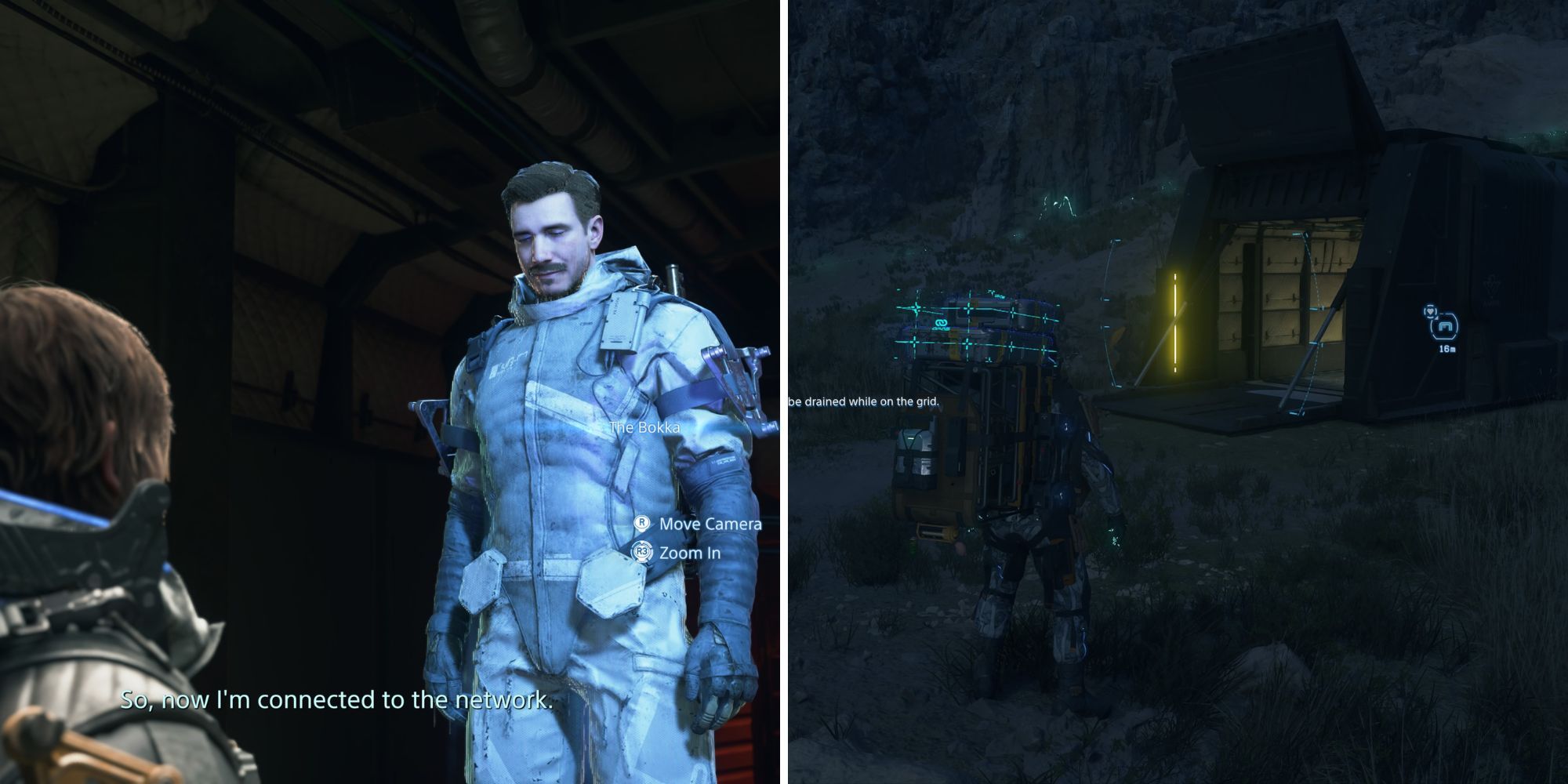
While players will add most facilities to the Chiral Network by following the main story path in Death Stranding 2, there are a ton that are optional and easily missed. One example is The Bokka, a facility located in Mexico.
The Bokka is easily missed since it’s hidden behind a rock hologram, making it possible to walk right past it without knowing. However, players should definitely locate it due to the valuable rewards it provides.
Related
Death Stranding 2: On The Beach Review
This “walking simulator” may be Hideo Kojima’s best work yet.
If you’re trying to find The Bokka in Death Stranding 2: On the Beach, we have you covered with this guide. You’ll learn the location of The Bokka, how to add it to the Chiral Network, and the reward for doing so.
How to Find the Bokka in Death Stranding 2
Players can find the Bokka on the Mexico map in Death Stranding 2: On the Beach. If you have made it to Australia already, then you’ll have to wait until you unlock the DHV Magellan before you can travel back to Mexico.
Once you arrive in Mexico, head to the mountainside that is between Ciudad Nudo Del Norte and C1 South Distribution Center. We have the Bokka’s exact location in the image attached.

Related
Death Stranding 2: How To Rescue And Transport Wild Animals
The new poster boy of the World Wildlife Fund, Sam Porter Bridges!
After arriving at the Bokka’s location, you still won’t be able to see it until you get really close. The reason is that it’s hidden by a rock hologram, but once you get close, the hologram will disappear and the Bokka will reveal itself.
How to Add the Bokka to the Chiral Network

Adding the Bokka to the Chiral Network in Death Stranding 2: On the Beach is very straightforward. Near the Bokka’s location, there is lost cargo that must be returned to the facility.
To find the lost cargo near the Bokka, use your scanner to scan the nearby area. Personally, I found two lost cargo boxes really close to the Bokka (about 100 feet), making the trip effortless.

Related
Death Stranding 2: Best Structures, Ranked
If no one can build, Sam can!
You can tell if lost cargo is for the Bokka by holding L1 and hovering over the cargo. While doing so, a tag page will appear that says the Bokka in the bottom left-hand corner.
Once you acquire any lost cargo for the Bokka, return to the facility and turn it in. An NPC will appear and will ask you to add him to the Chiral Network.
The Bokka Rewards

After adding the Bokka to the Chiral Network, a handful of Standard Orders will become available at the facility. Completing these deliveries will increase the star rating you have with the Bokka, leading to useful rewards for Sam.
Below are all the rewards players can get for increasing their star rating with the Bokka in Death Stranding 2: On the Beach.
- Trekking Boots (1 Star): Shoes that provide better grip when walking and running.
- Sticky Gun (2 Stars): A gun that Sam can use to pull far-away cargo towards him.
- Porter Patch (3 Stars): A patch you can use to customize Sam’s backpack.
- Porter Accessory (4 Stars): A backpack accessory that allows Sam to see all Porter locations.
- The Bokka Hologram (5 Stars): A hologram that you can use to customize structures. This hologram will appear when other players visit your structures.
Out of all the rewards from the Bokka, the Porter Accessory is the most useful. Knowing where all Porter locations are can help you complete the Chiral Network faster.

Next
Death Stranding 2: How To Quickly Gain Likes
Every like counts to fuel that dopamine rush!

Death Stranding 2: On the Beach

- Released
-
June 26, 2025
- ESRB
-
Mature 17+ // Violence, Blood and Gore, Partial Nudity, Strong Language
- Engine
-
Decima
- Franchise
-
Death Stranding
- Number of Players
-
Single-player
- PS5 Release Date
-
June 26, 2025